
I'm pleased to announce the immediate availability of Note Weaver V1.2.0, in which we take synchronization speed and reliability to a whole new level. It was good before; now it's great!
Our original Secure Relay is still very much a part of the security, and WAN (Wide Area Network) synchronization, but since we added LAN sync, it allowed us to run better checks to ensure that your devices were all using the same library, but once libraries started to include hundreds, and even thousands of notes, reaching reconciliation of all connected devices could take a long time, and sometimes never reach full reconciliation. Your data was fine, but we displayed messages that may have concerned the more attentative user.
So, we broke the sync engine all the way down, then inspected every line of code to ensure that we only had what we needed, and we added some new methods that enabled reconciliation of up to five licensed devices to complete in 30 seconds to a few minutes, which gives us, and you, much higher confidence in the sync process that we had until now.
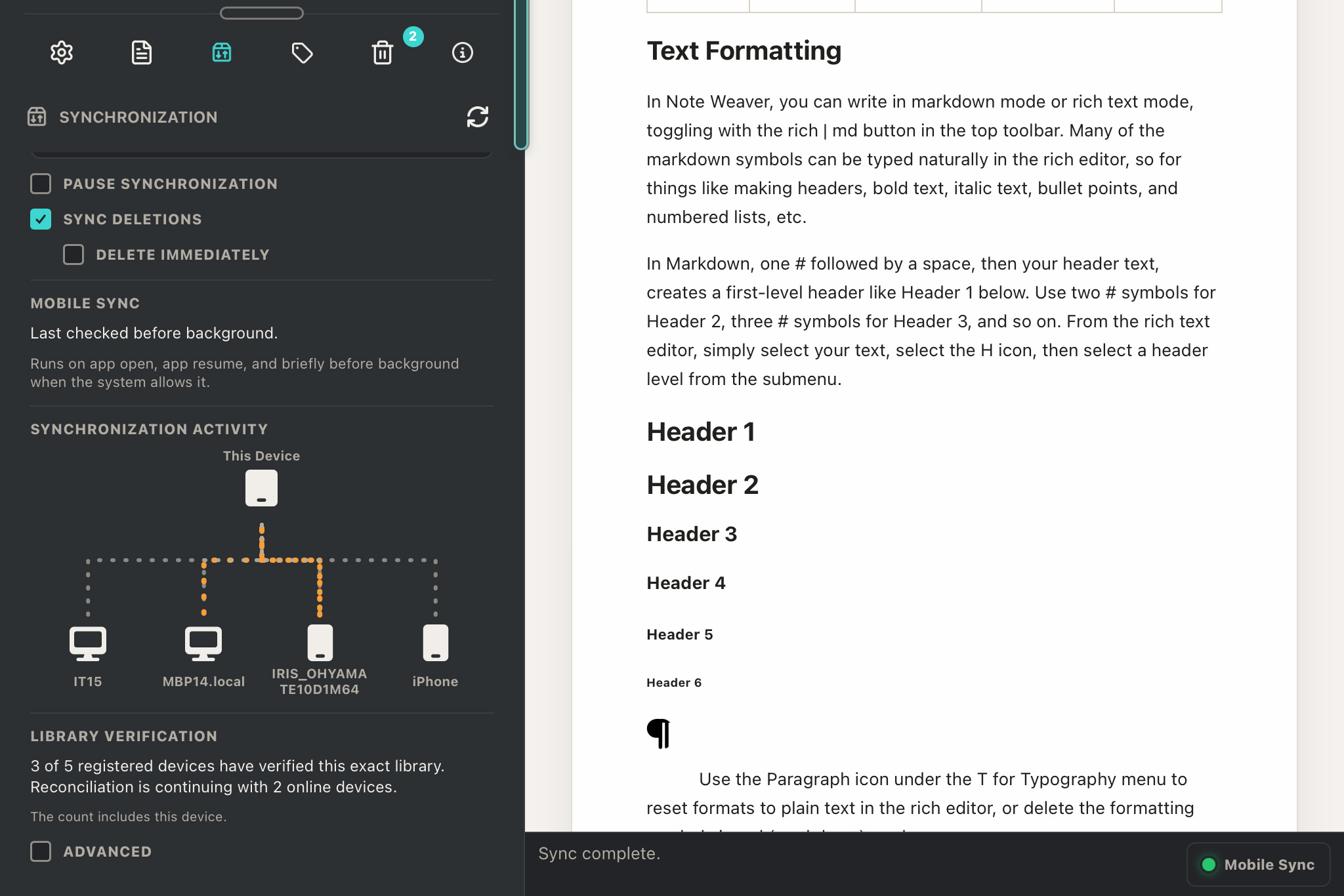
When Note Weaver does not have confirmation that the other devices have the same notes library, you will see a message showing the number of devices that have verified exact library copies as the device you are looking at this on.
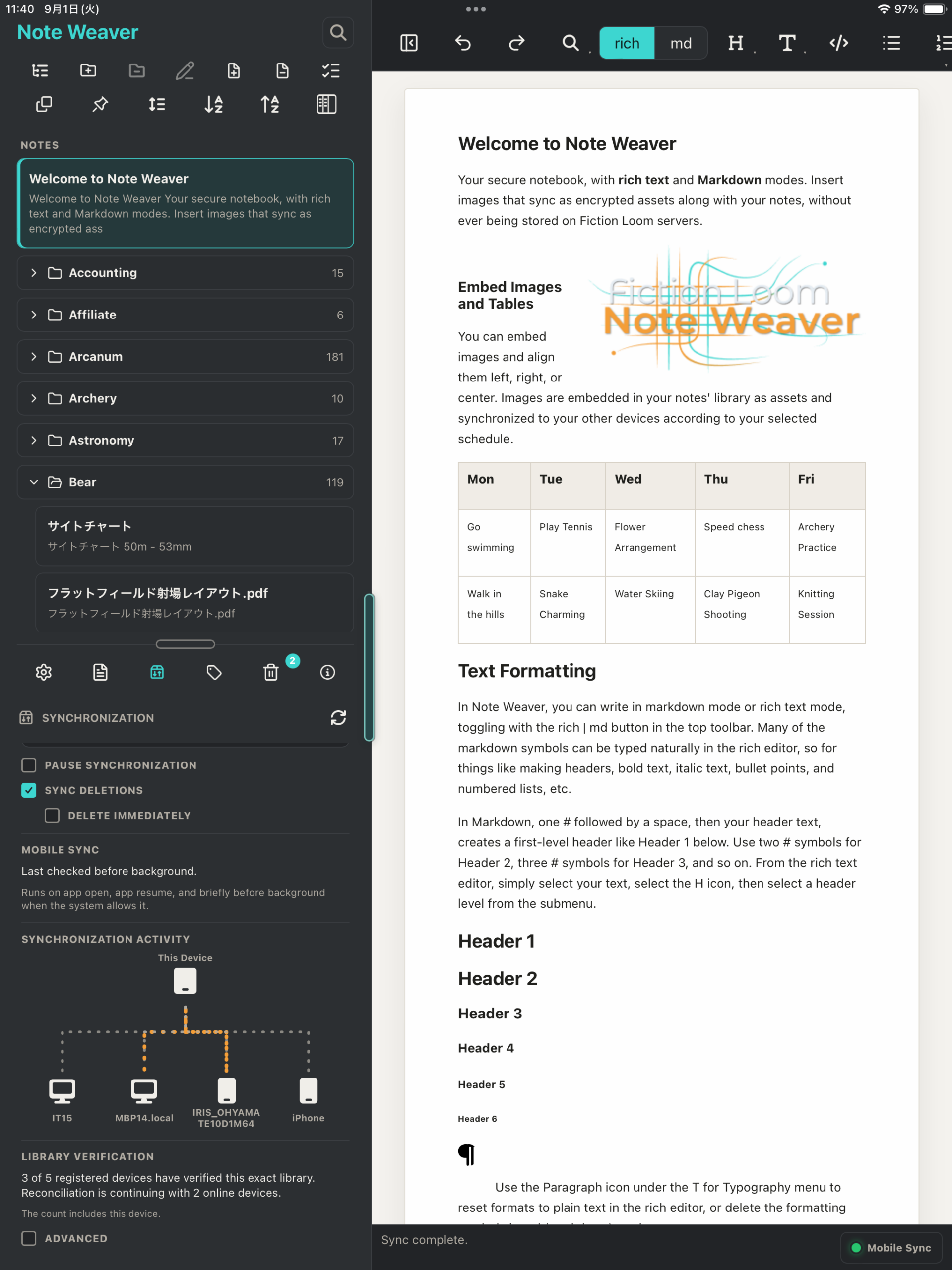
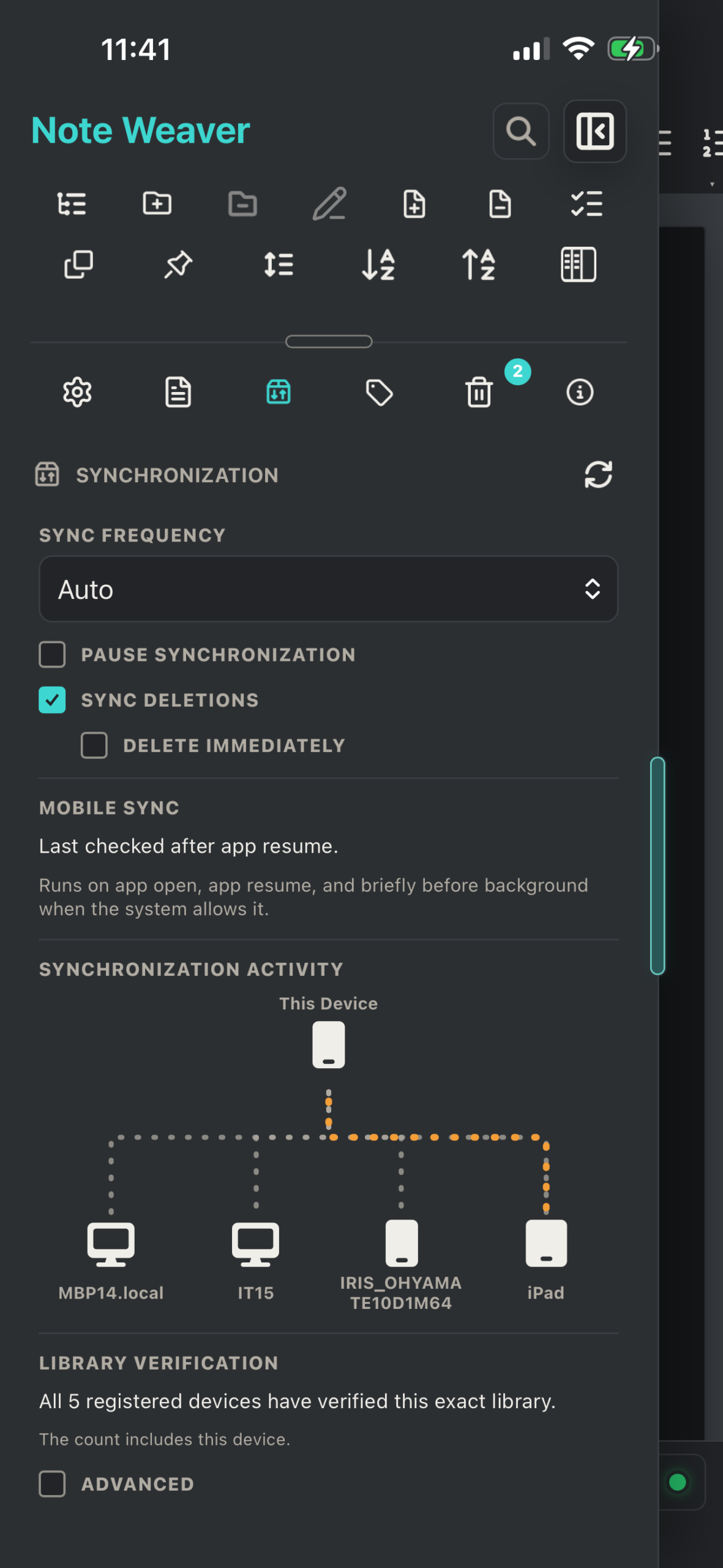
If any of your mobile devices are locked or otherwise offline, the message will remain, as we cannot reconcile the library on an offline mobile device. If you want to ensure everything is synchronized, before an outing or business trip, for example, just open all devices, ensure they are all using the latest version of Note Weaver, and give them a few minutes, while you enjoy the light show in the network map.
Usually after a few minutes, you will see the Library Verification message, All (up to) 5 registered devices have verified this exact library. This means we have run record level checks to ensure that every note and image in your library in the same as the other libraries on all of your other devices.
Here too is a little preview of the slightly updated network map using arrows and a slightly slower traffic flow that may be a little easier on the eyes. This will be included in the next release of Note Weaver.
Before we decided to rebuild the synchronization code, we added a Recovery mode, that we have left in, because it is still possible, although now very unlikely that your libraries could get jumbled to the point where you might want to rebase them on a known good library. It is so unlikely that you will ever need this now, that we've hidden it under an ADVANCED checkbox at the bottom of the Synchronization section, but should you ever find that you cannot get your libraries to sync, even after giving them say up to 30 minutes, all online at the same time, and visible in the network map above, then you might consider using this, and you should try to kick off the Recovery process on a desktop machine if available, although this can be run on any device that is a part of your Note Weaver group.
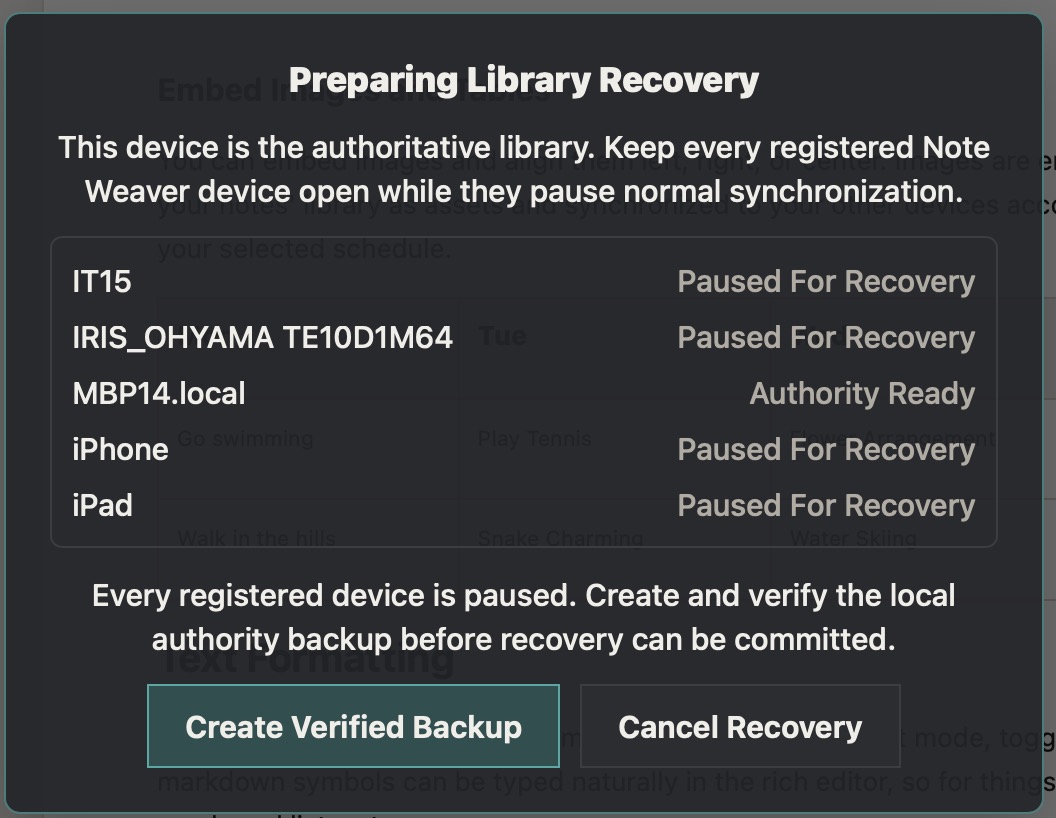
If you need to use this, select Initiate Library Recovery under the Advanced section at the bottom of the Synchronization section. You will see a message like the one to the left here, and you should open all of your devices, and check that they are all marked Paused For Recovery. After they are all paused, Click the Create Verified Backup button, to backup your local library and prepare to copy it to all other devices.
Please keep your devices unlocked as the recovery progresses, and you will see each library become marked Verified as it completes. When the recovery finishes, the dialog will dissappear from all of your devices and you can continue to use Note Weaver as usual.
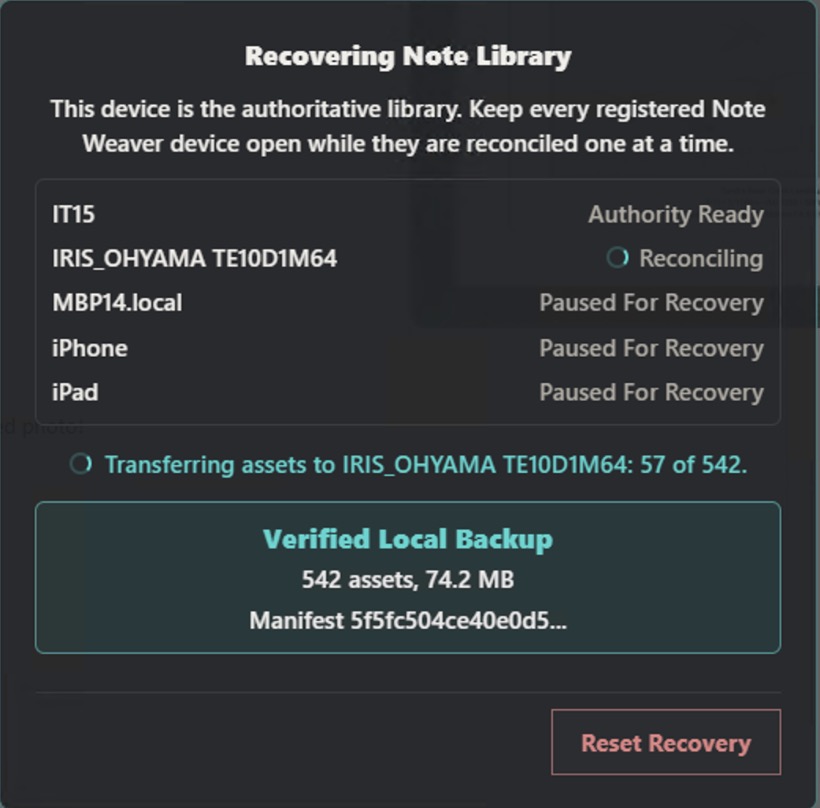
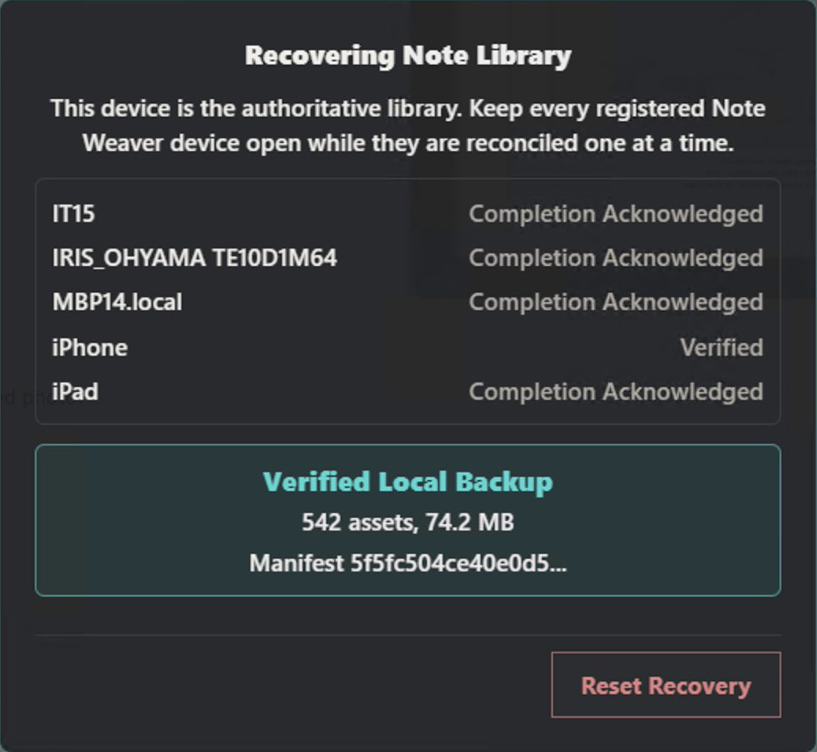
Again though, the chances of you ever having to use the Recovery process are now close to zero, so keep this in mind, but don't run it our of curiousity. It's probably not necessary.
We also added the Markdown and a rich editor task list, so that you can now add checkboxes for creating checklists either by typing a hyphen, a space, and a left and right square bracket with a space between them for an unchecked checkbox, or an X for a checked checkbox. Instructions are in the updated Welcome Note.
If you don't yet own Note Weaver but would like to run a feature rich notes application with nothing stored in the cloud, Note Weaver is a great choice. Check out the Note Weaver product page for more details and purchase options, and if you have any questions, drop us a line via our contact form under the Support menu above.