We are proud to announce
Bring your KORG Minilogue XD to Life!
MXD takes the KORG Minilogue XD synthesizer to an entirely new level, with a standalone interface and VST plugin to interface seamlessly with your Minilogue XD inside any DAW.
MXD makes your Minilogue XD feel recallable, loopable, automatable, and performable in our standalone application or via VST3/AU plugin inside modern DAW sessions, without breaking the musical flow.
Macros and Audio Clips Now Included!
Version 1.6.0 introduced the concept of Macros; record complex dial and switch adjustments for up to 32 bars, and play them back to affect the music you play on your Minilogue XD. If you play notes, they will be recorded as well, and then overdub your parameter adjustments. Parameters and notes can be edited after recording to fine tune.
Version 1.7.0 introduced bouncing Macros to audio, so they can be arranged in the Session grid, and even played back and looped in series, or overlapping, via keys on a split keyboard, drum pads or any MIDI CC signal. The creative possibilities are endless!
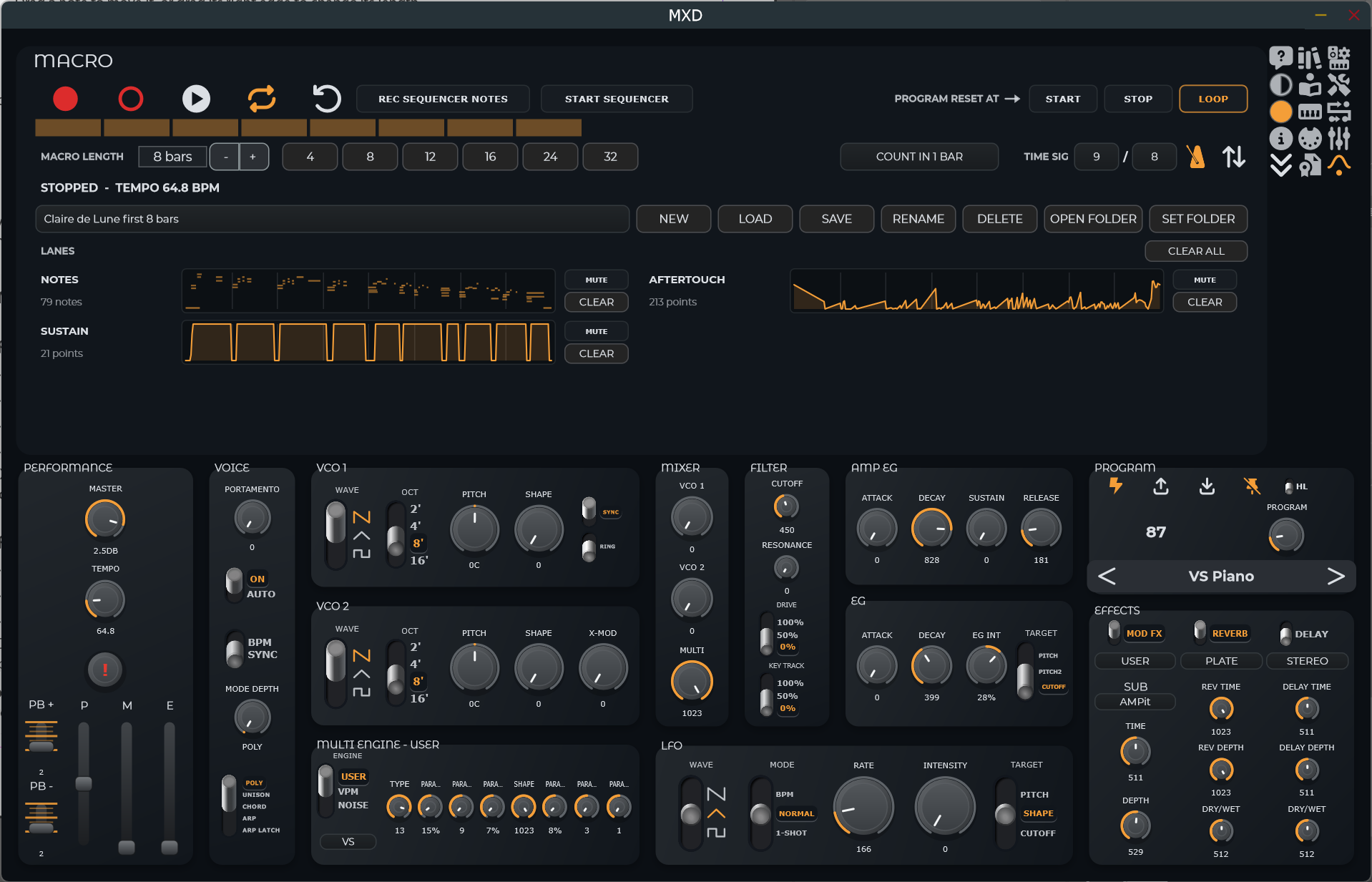
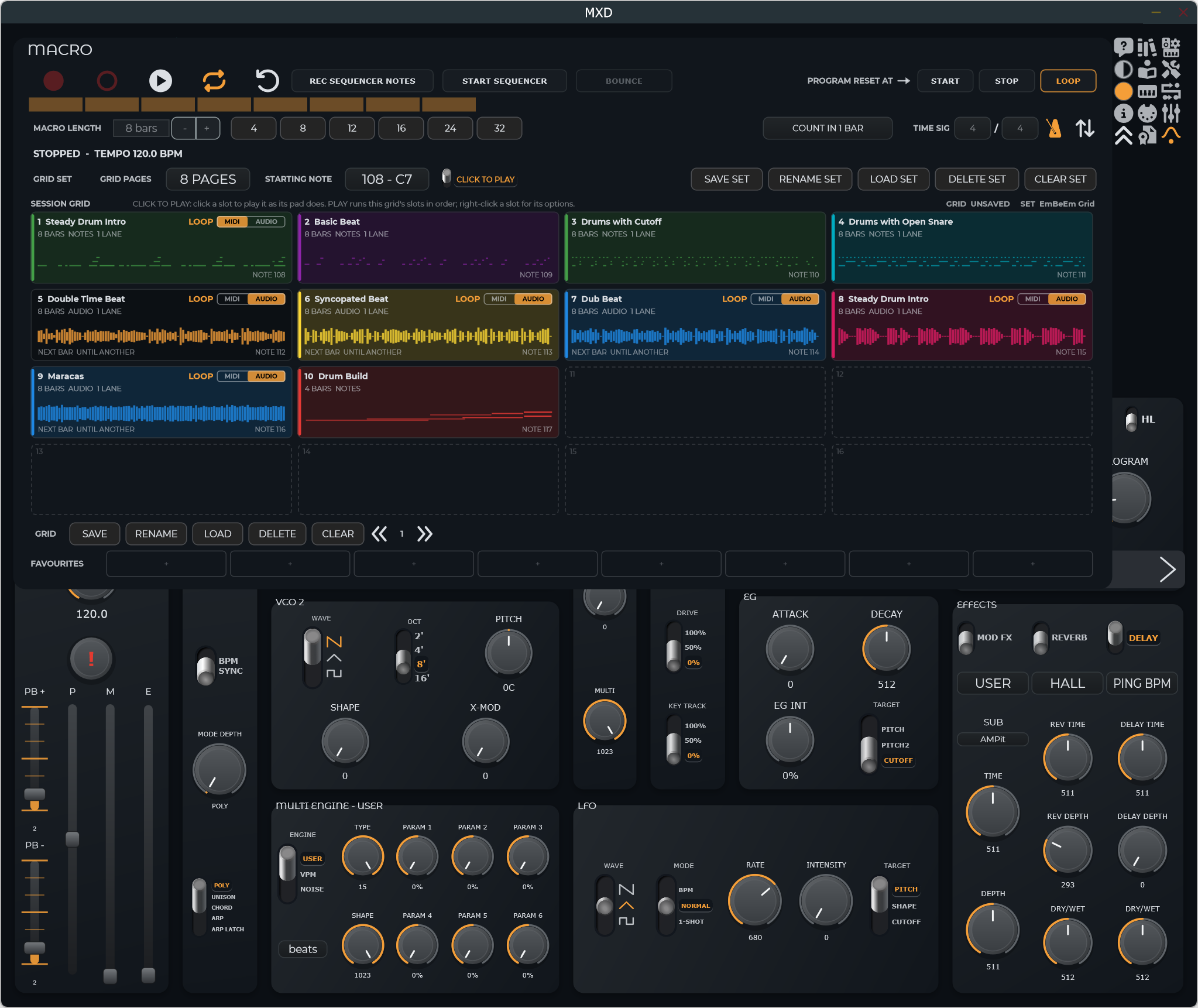
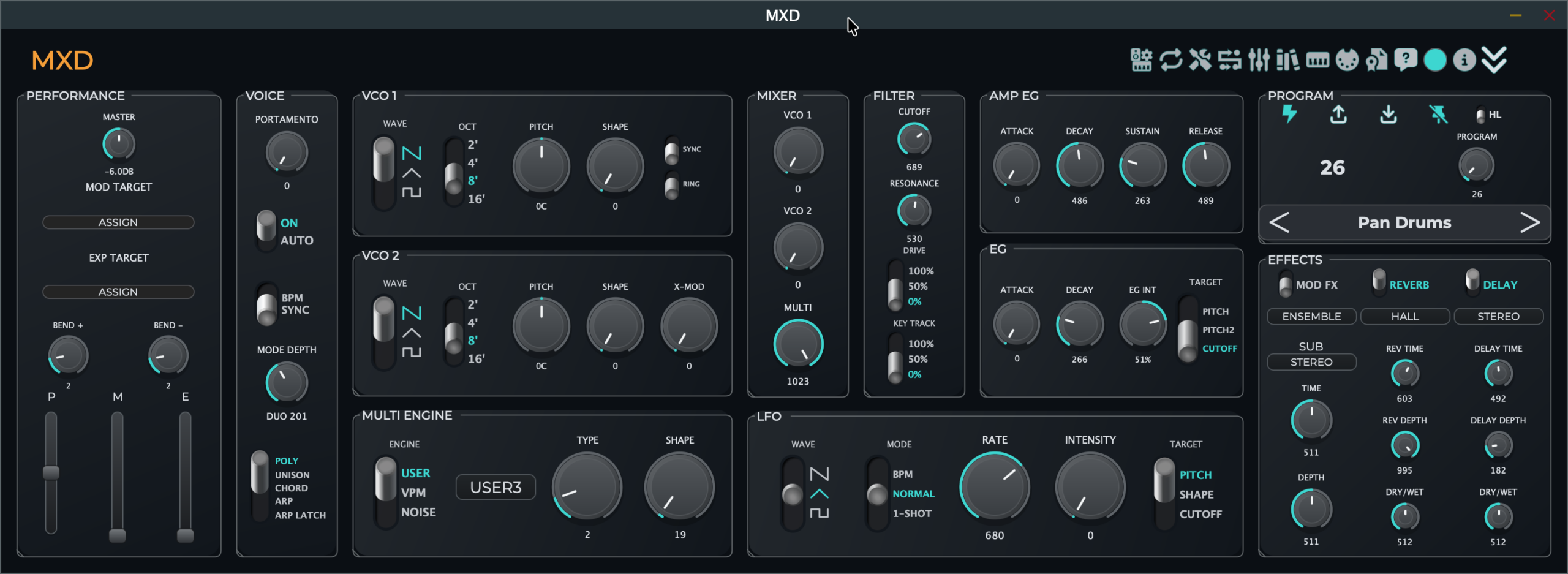
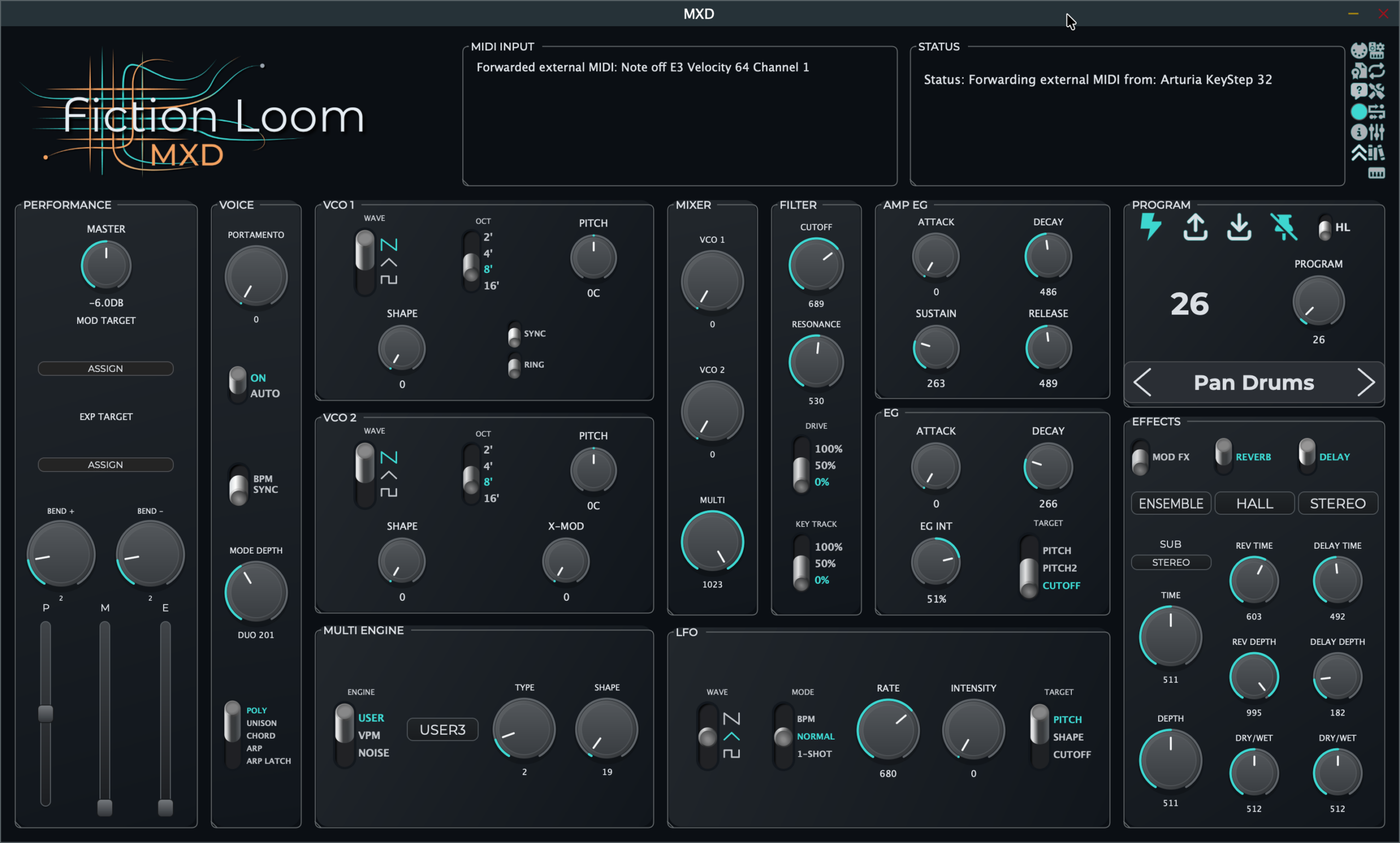
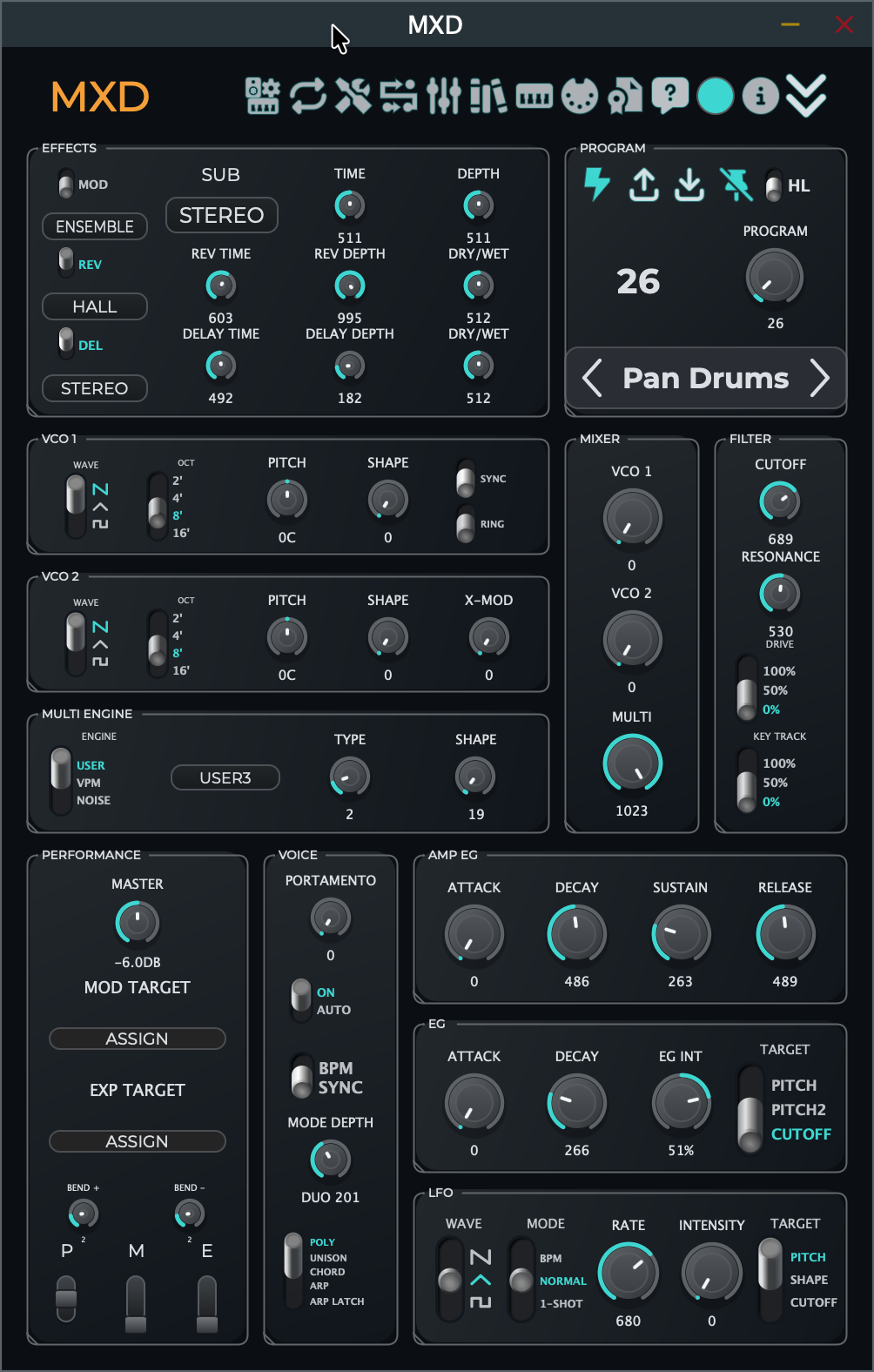
The screen is responsive, with individual panels adjusting to optimize space while maintaining the original device's general layout, while adding quality-of-life controls that you'll wonder how you ever did without with the hardware alone. We even built in a portrait layout, so if you want your MXD interface down the right side of your screen, it can handle that.
All settings either take over the header area, or in some cases, use a full screen overlay. We specifically avoided using multiple screens so that you always have MXD and all that it offers at your fingertips, not hidden behind other windows.
Local Libraries & Set Lists
New in Version 1.3.0, MXD now supports Local Libraries and Set lists. Import your KORG Sound Librarian backup of all 500 programs from your Minilogue XD, or allow MXD to copy all of your programs to what we have termed a Local Library. You then link that to a program slot on your Minilogue XD, and if you turn on the LL (Local Library) switch, we will take over that slot and load all of your local library into it, and you continue to navigate through your programs from MXD as though you were working on the Minilogue. With the programs now 100% under MXD's control though, you can add descriptions, create multiple Locall Libraries, and also create Set Lists with subsets of programs selected from your local library, and then you can reorder them, add more programs, or delete them, however you like.
When you are finishing working in Local Library mode, just navigate away from the linked slot with your Minilogue XD's PROGRAM dial, or flick the switch from LL to HL (Hardware Library) mode, and we'll restore the original program from that slot, while all of the changes you made in your local library are stored, but not baked in. Each program can be reset to the original state when you copied it from your Minilogue, or saved, when you want to, and never any other time.
Native Instruments Kontrol S-Series UI
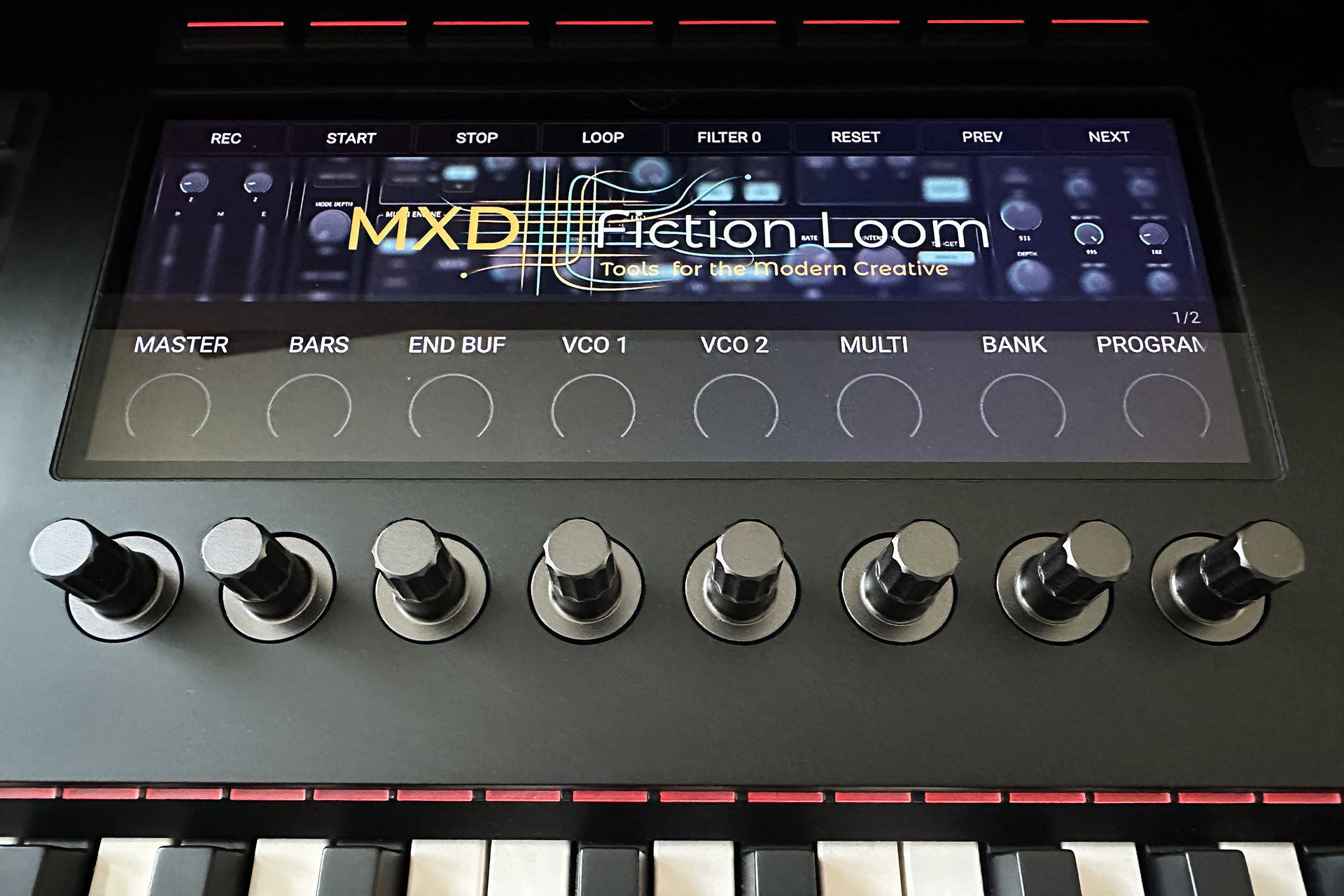
The installer package contains two Native Instruments Kontrol S-Series Mk3 templaces for the plugin and standalone versions of MXD. Control your MXD directly from your S-Series MIDI controller! (Requires a Mark III controller with the latest firmware.)
The VST3 (and AU for Mac) plugin contains recording guides to help to reset your Minilogue XDs sounds at the start of recording, and after after looping through a set number of bars, that we can detect and count for you if you use the STATE CONTROL feature, which is especially intuitive if you use the STATE CONTROL overlay (below).
Loading price…
Instant Download
Your download will be available immediately after purchase, and it contains MXD for both Windows and Mac, in both Standalone and VST formats, with an AU also included for Mac, all dropped neatly into place by our installer.
License Model
A license that you can use on both Windows and Mac computers will be displayed on screen when after completing payment through our payment authority Paddle. We will automatically create an account on Fiction Loom to enable you to manage your license, and an email with an automatic login link will be emailed within a few minutes of completing payment. If you do not receive that email, please check your spam folder.
Our licensing policy provides a one-time sale perpetual license with free updates for the life of your version number. So, all updates for version 1.x will be made available to you at no extra cost. Your purchase enables a single person to run MXD on up to 3 computers simultaneously. Windows or Mac, all computers count as a single activation. We limit yearly activation/deactivations to a total of 10, after which your license will be locked. If you unavoidably reach that number, please contact support with an explanation, and we'll reset your license.
Validation Grace Period
When you start MXD, we will check your license online. If, for any reason, you are not connected to the Internet when starting MXD, you will be able to continue using the software for up to 60 days, after which you must connect the computer to the Internet and open MXD once to validate your license.
Refund Policy
All purchases are subject to our Refund Policy. By purchasing our products, you agree to our Terms of Service, Privacy Policy, and Refund Policy.
Caution: This is a software controller. It makes no sound without a KORG Minilogue XD synthesizer.
Resizes for all uses
The Header with the full Fiction Loom MXD logo, the MIDI status and diagnostics messages can be hidden with the click of an icon, and automatically reduces in size in three stages as the window size changes. Some of the dials in the control sections also switch between vertical groups and horizontal groups to maintain a useable size at all window sizes and aspect ratios. We even added a reimagined MXD portrait mode, for when you want to tuck MXD away at the side of a wide screen.
Do your Minilogue XD a favor!
Loading price…
Click the buy button to see local prices
Contact Us
If you have any questions, please drop us a line. We'll be glad to help.