Now with 3D Frame Preview and Gallery Wraps
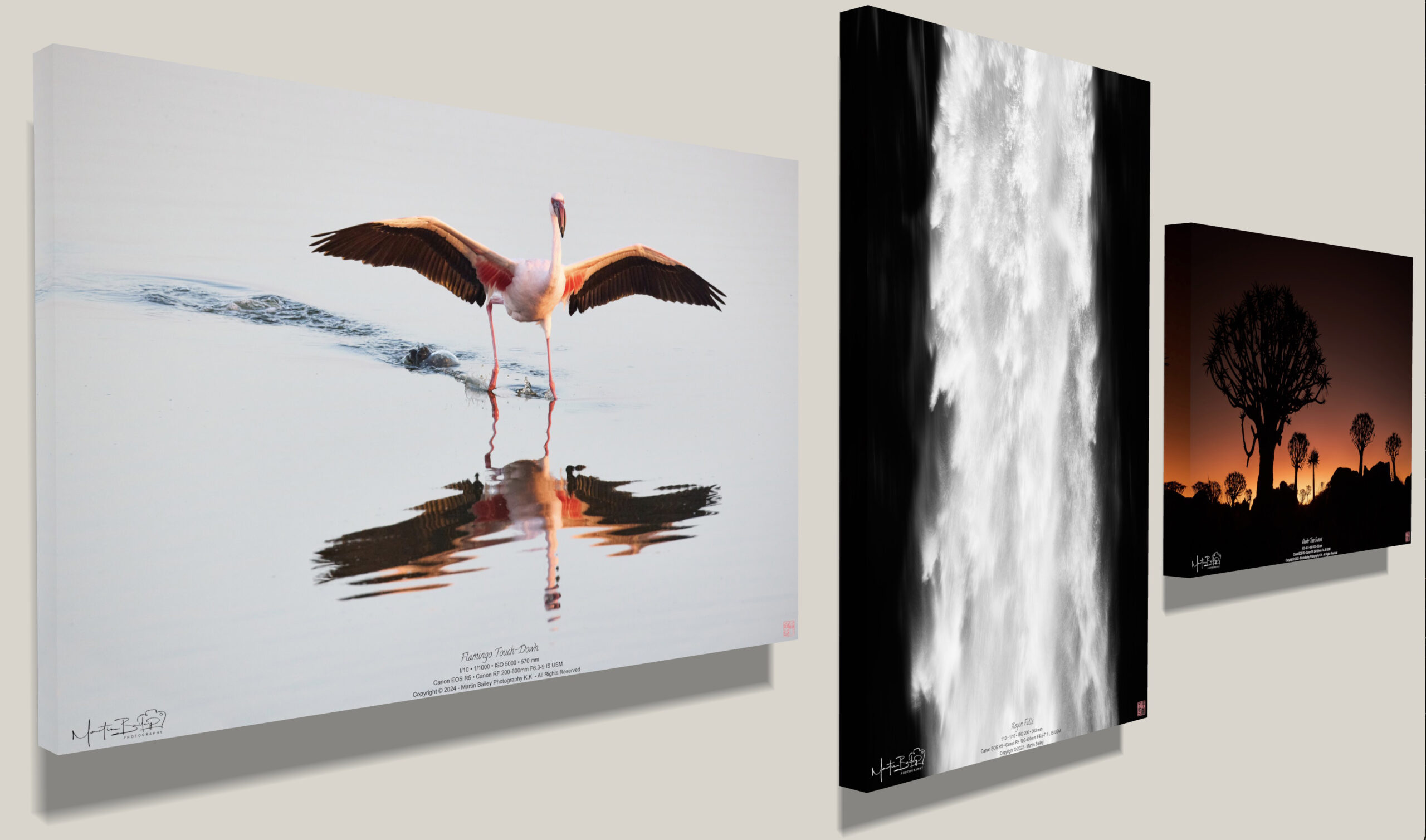
Frame Weaver has always been about the finishing touches that turn a photograph into a finished piece: the frame, the matte, the signature and the caption. With version 1.4.0, now available on Mac, Windows, iPhone, iPad, and Android, those pieces step off the flat screen. You can turn your framed image in your hands, export it at an angle, and make gallery wraps that print, stretch, and hang just as they look on screen.
Turn Your Framed Image in Your Hands
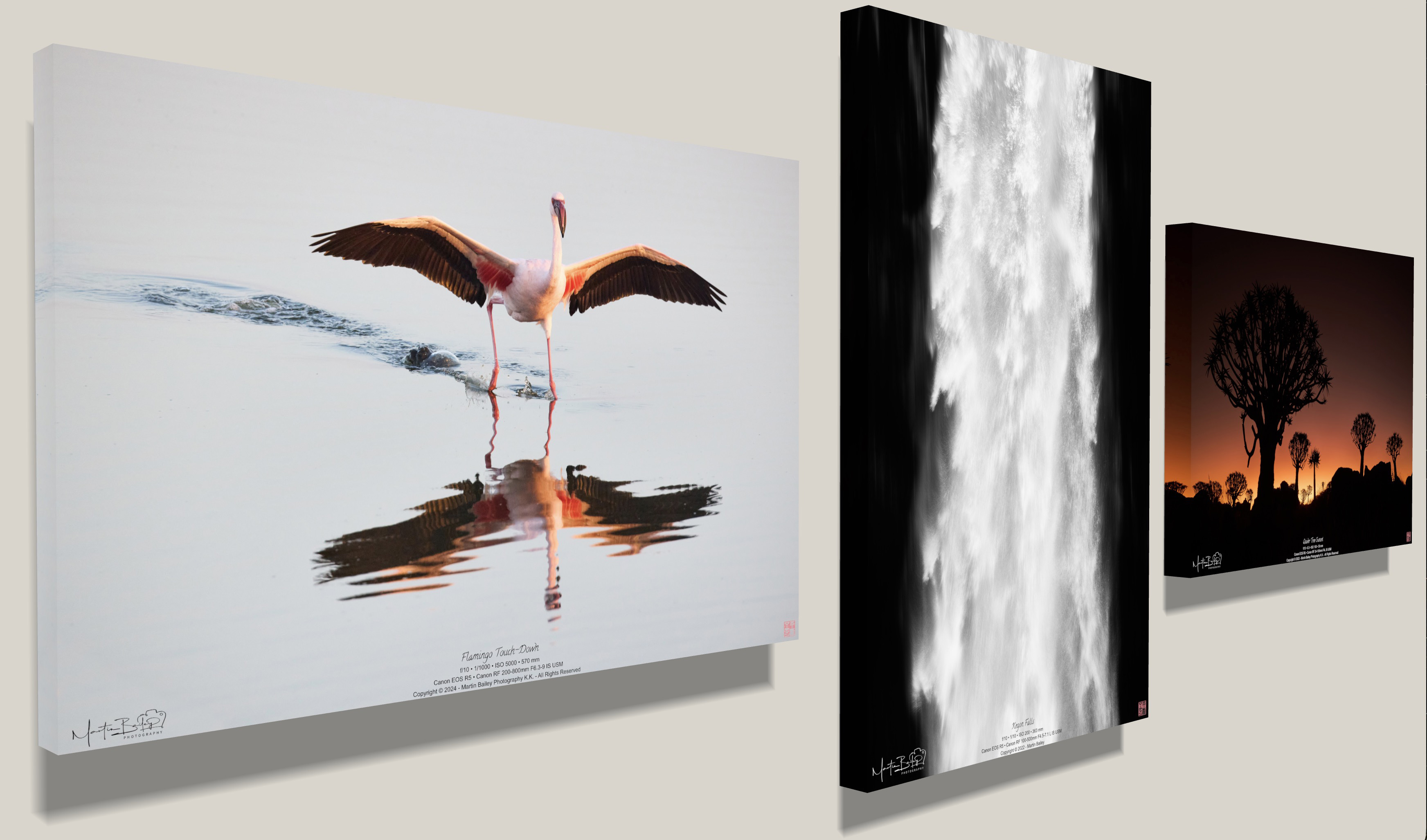
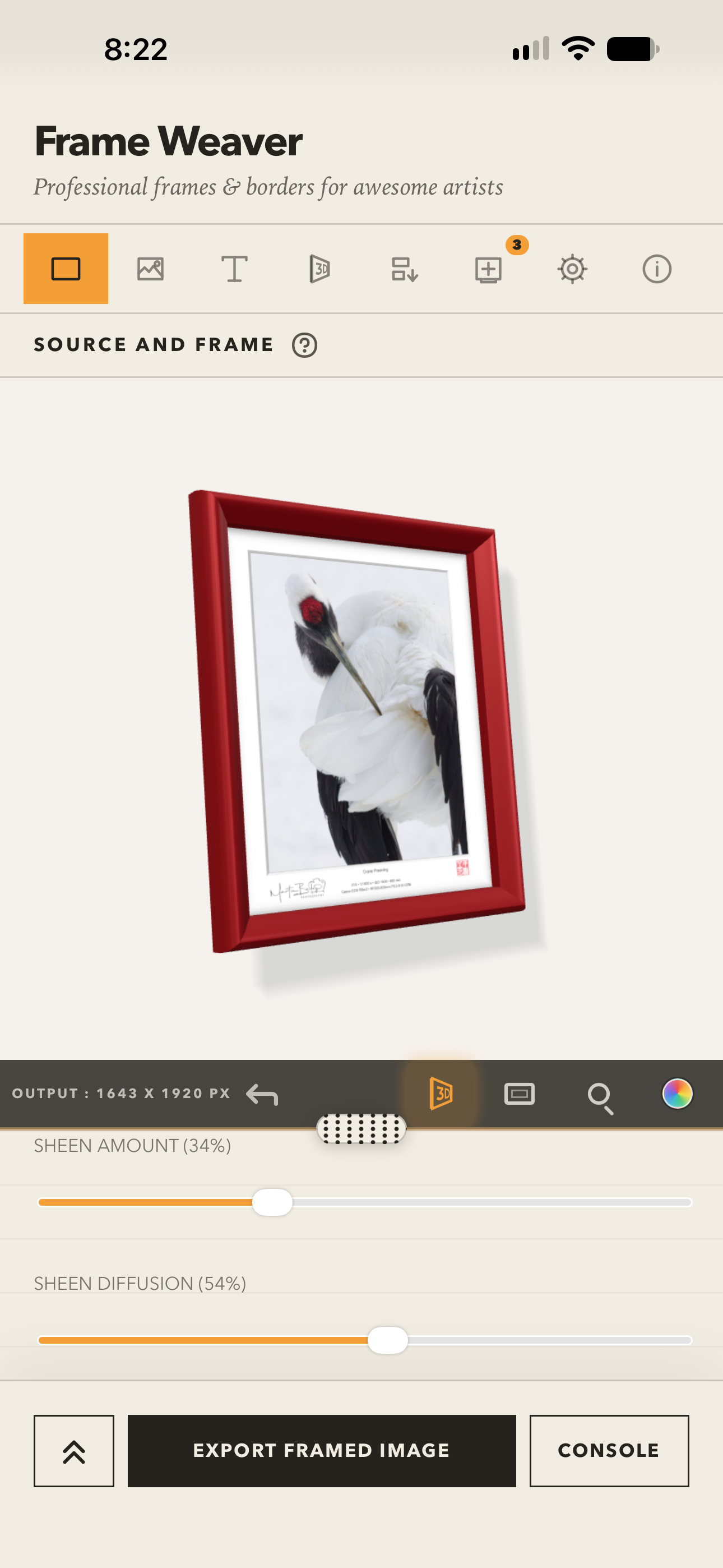
Drag the background of the preview, and your framed image turns in three dimensions. Drag left to see its right edge, down to see its top, up to tilt it back. Now you can see the depth of the frame's profile, the sheen along its rails, and the grain of a wooden texture, all lit by the Global light you've set, with a soft shadow falling on the wall behind it.
The piece stays where you leave it, so you can change the frame's depth, profile, color, or texture and watch the result as you work. Click the background, and you're back to the flat preview.
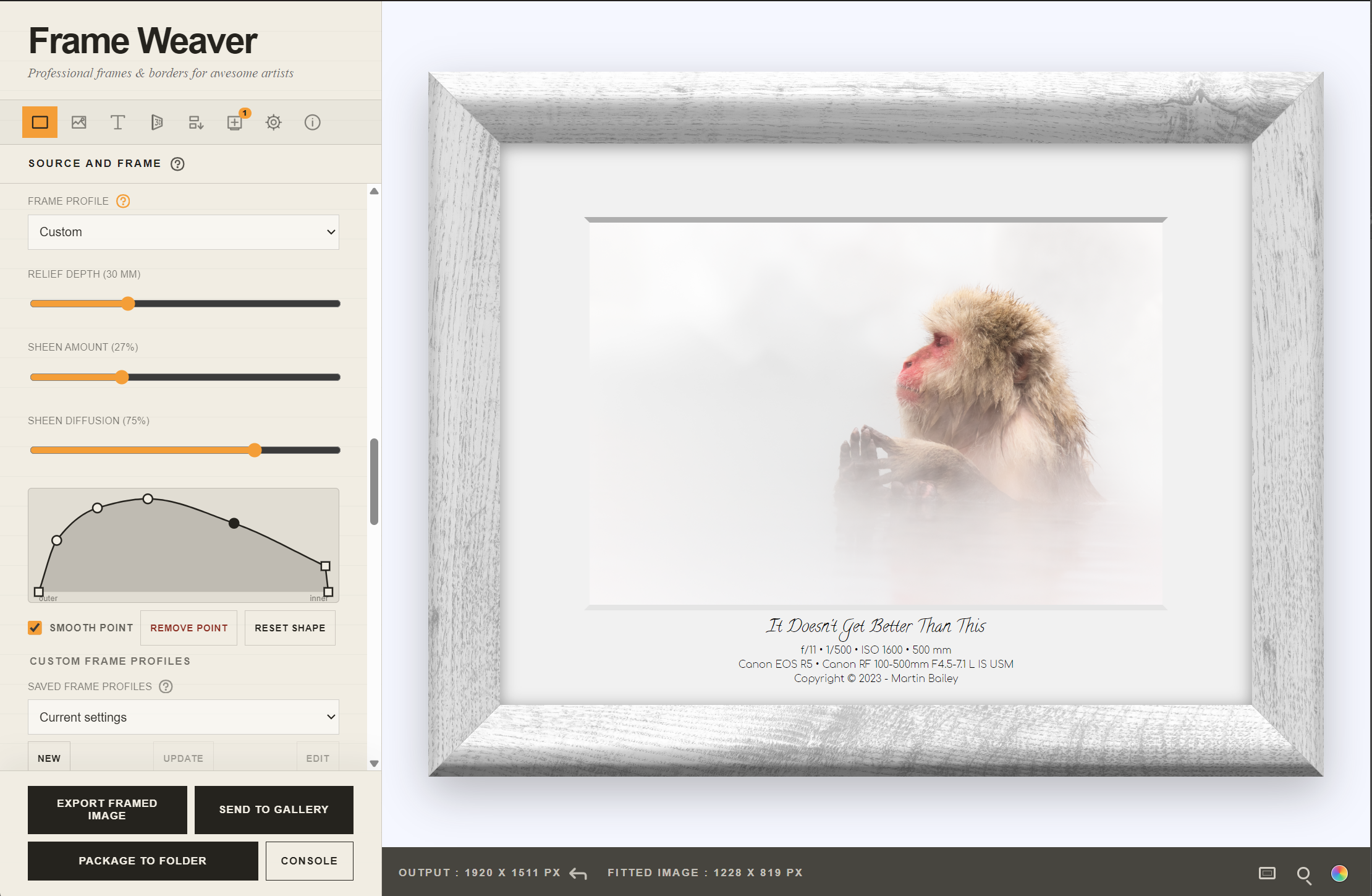
On iPhone (below left), iPad, and Android, tap the new 3D button in the status bar, then swipe with one finger. The piece follows your finger, as if you were holding it.
3D Export
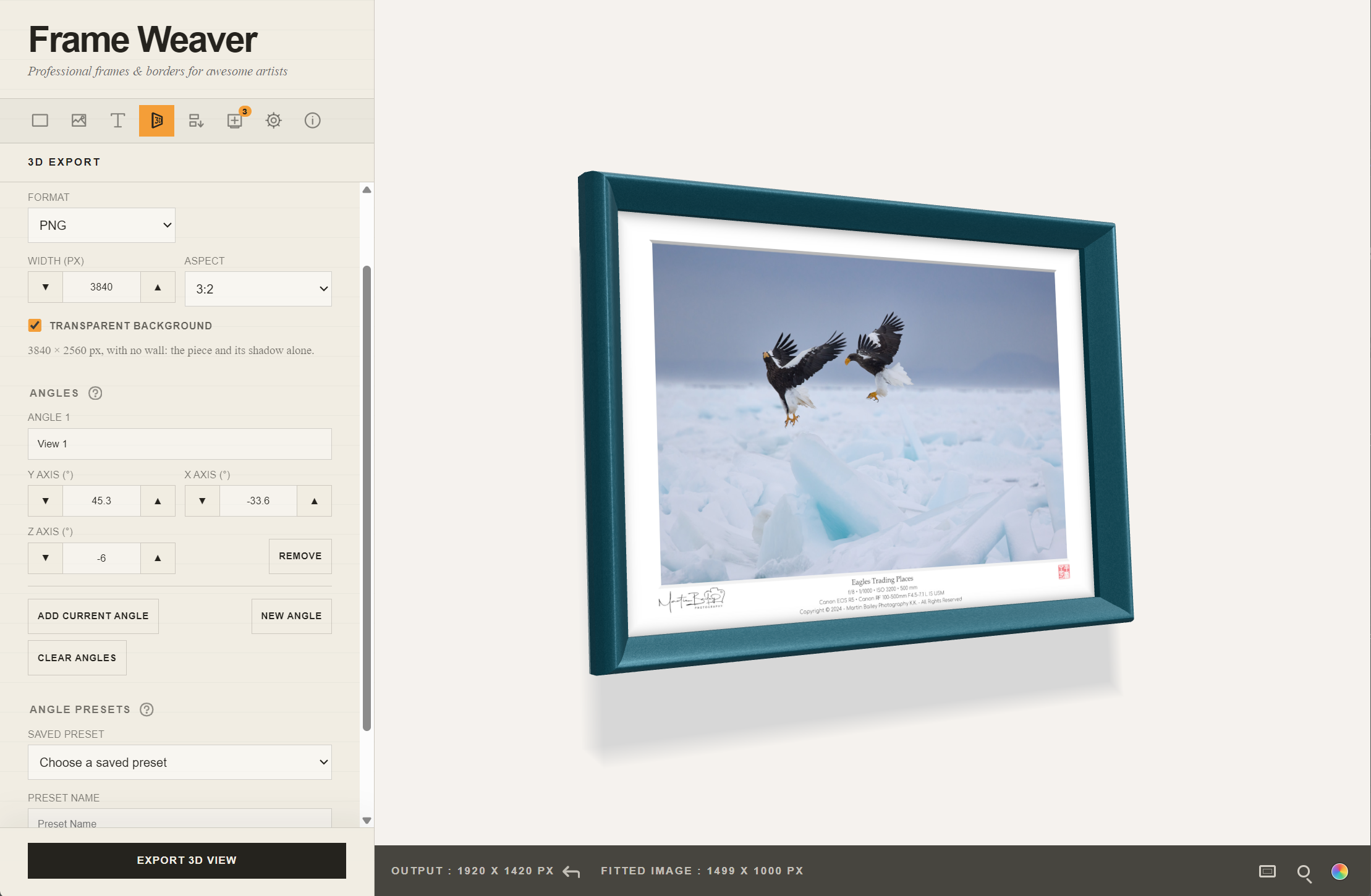
When you like what you see, the new 3D Export sidebar saves that angled view as an image. Choose PNG or JPEG, a width and an aspect ratio, and export at the angle you've turned the preview to, or set up to ten angles of your own, each turned about three axes. Save a set of angles as a preset, and every piece you frame can be shown the same way.
PNG can be exported on a transparent background, with no wall, so you can place your framed piece on a photograph of a real room. It's ideal for product pages, social media, and showing a client how a print will look before it's made.
Gallery Wraps
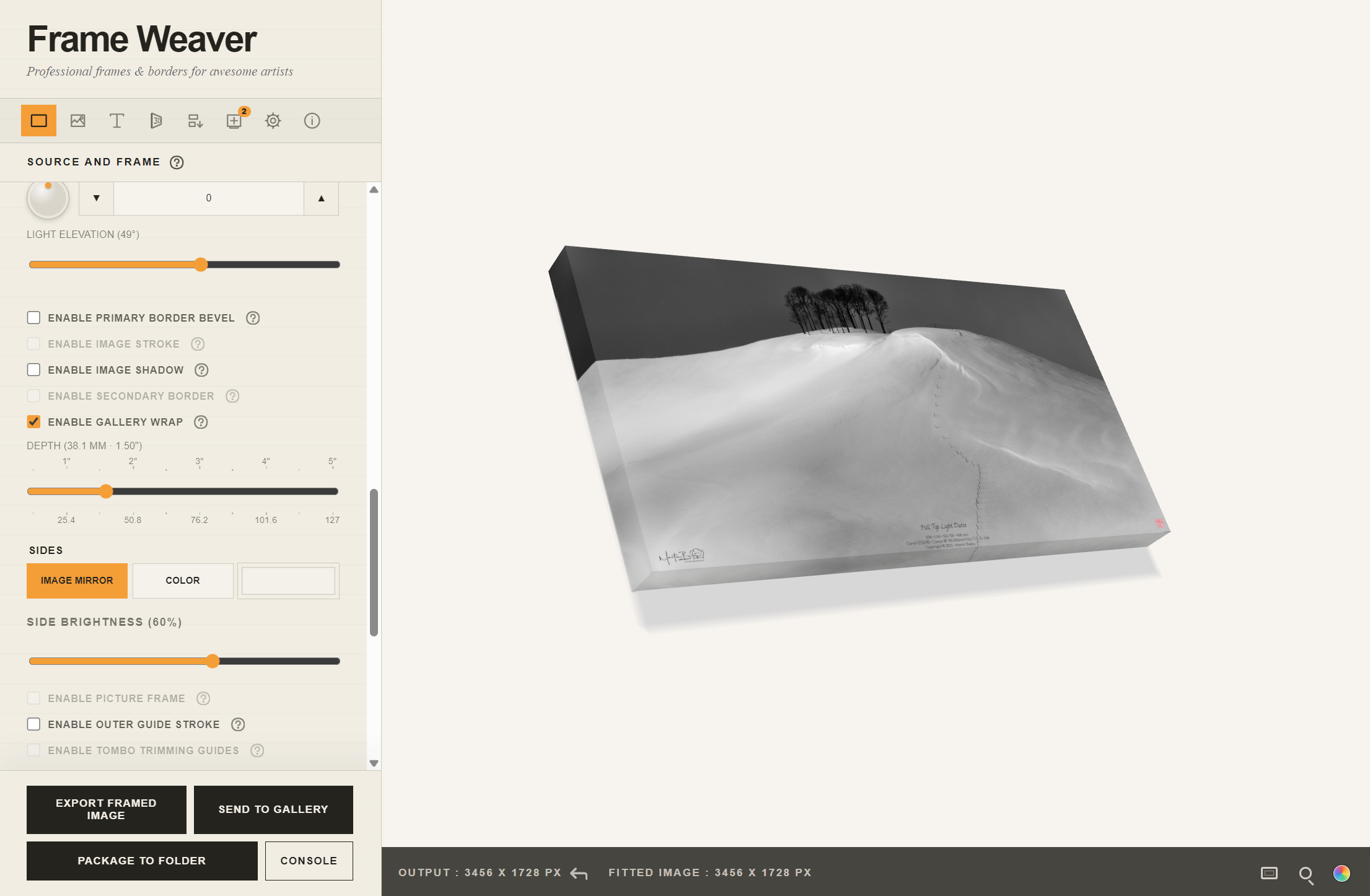
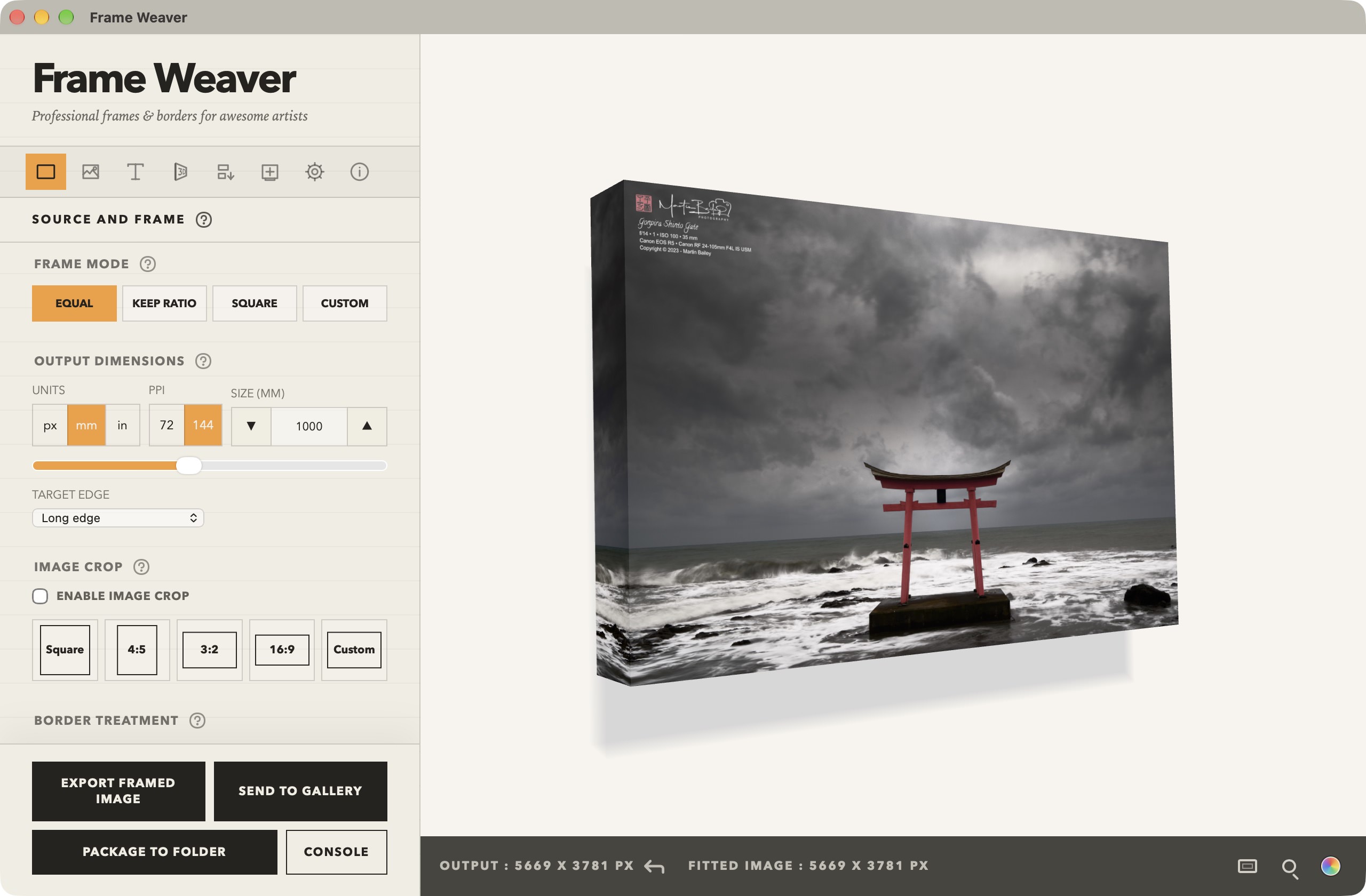
A gallery wrap shows your image as a canvas stretched around a frame. Set the depth from half an inch to five inches, and choose what the sides show: the image's own edges, mirrored around from each corner, or a solid color of your choice, with control over how bright the sides appear.
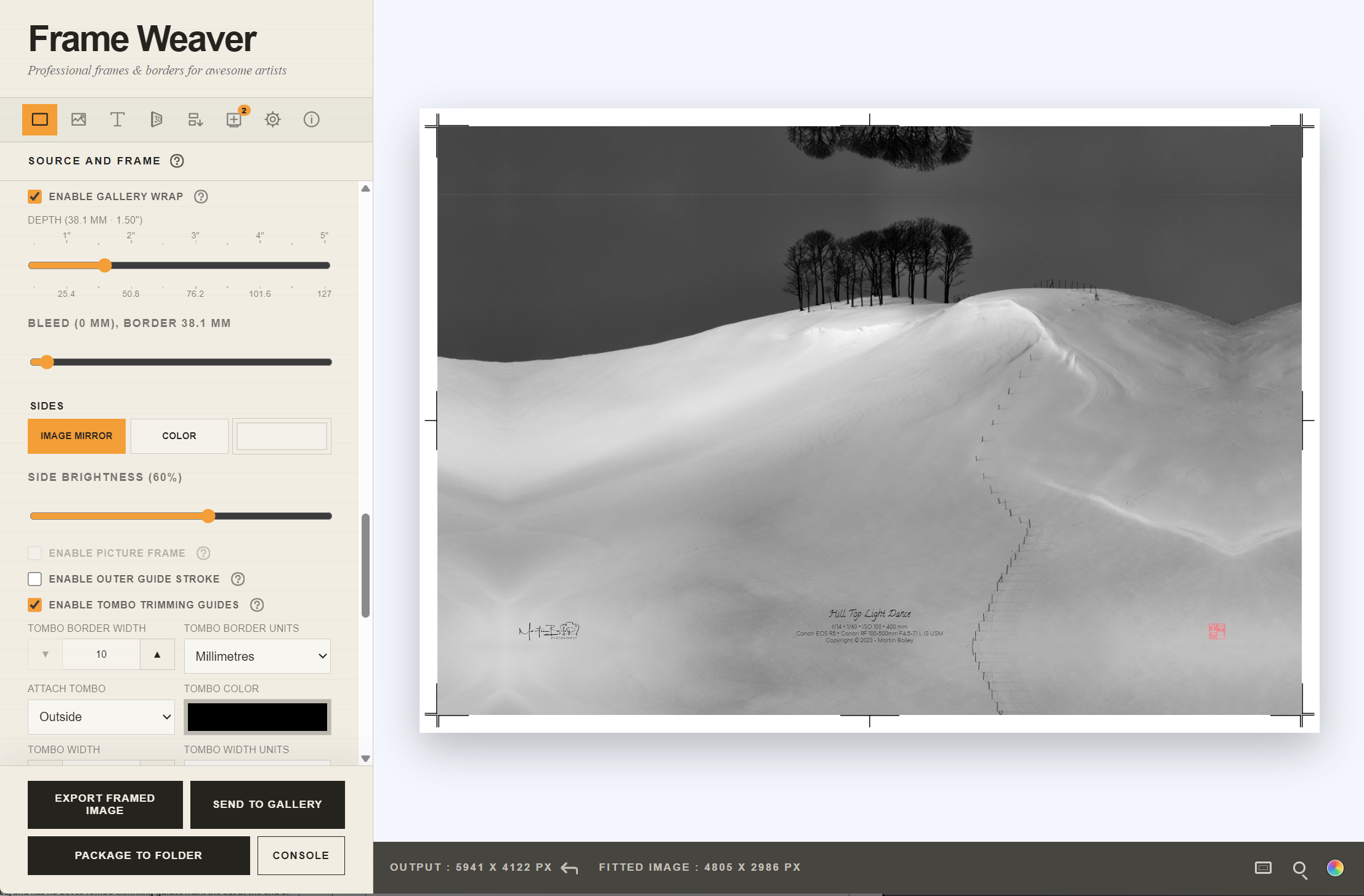
Switch to Print, and Frame Weaver lays your wrap out flat, ready to print and stretch. The wrap's depth, plus any bleed you add, becomes the border, with the mirrored edges in place and tombo trimming guides to cut by.
Screen Output in Real-World Sizes
Screen output can now be sized in millimeters or inches, as well as pixels, at 72 or 144 PPI. A single slider covers every size from a foot to a whole wall: fine steps at the small end, larger ones as the size grows. The resolution is written into the exported file, so it opens at the size you chose in Photoshop and elsewhere, and a Frame Weaver Pro Gallery hangs the piece at that size too. A one-and-a-half-inch wrap looks one and a half inches deep beside it.
If the size you ask for is larger than your image's own pixels, Frame Weaver tells you, so you're never surprised by a soft print.
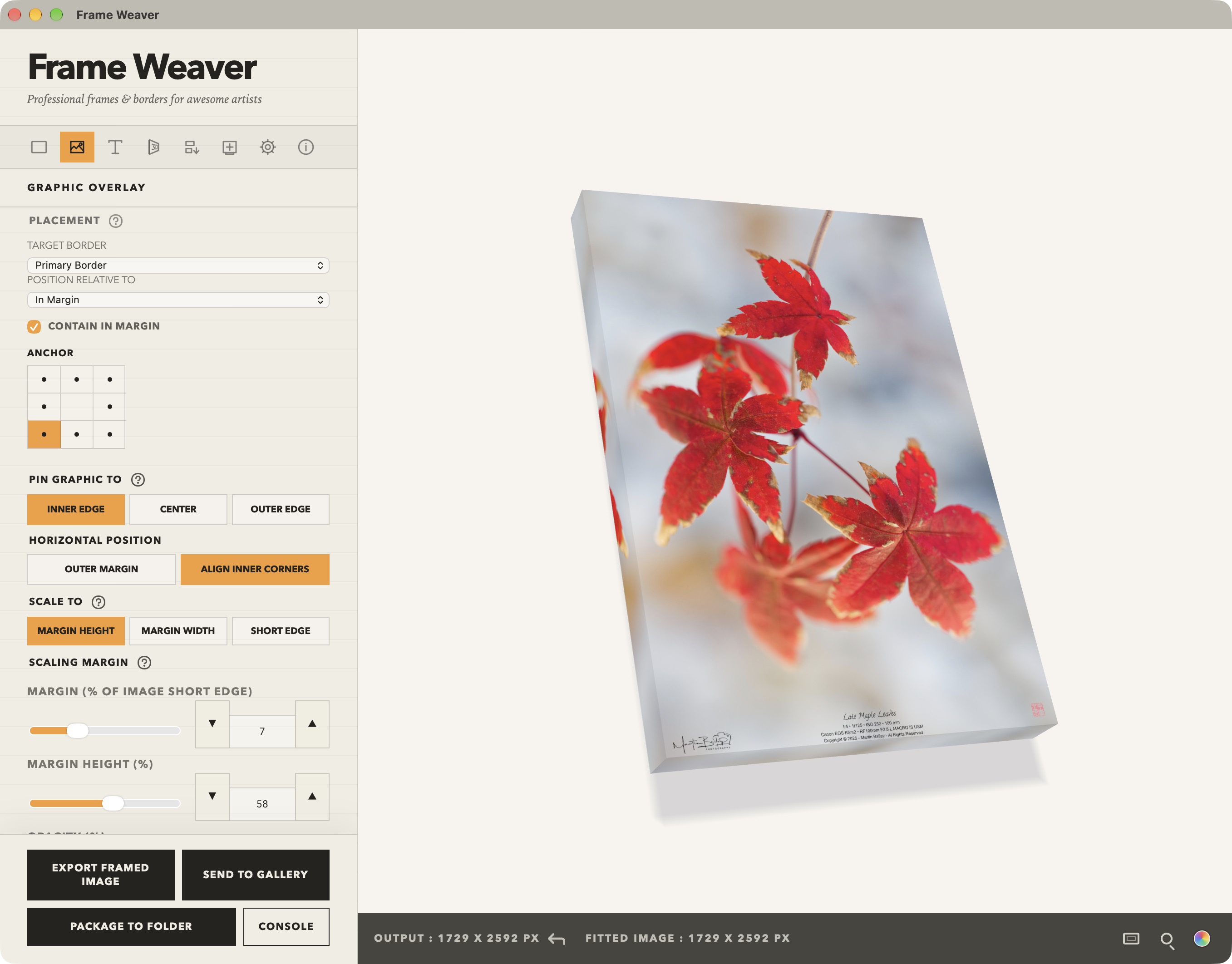
In Margin
Gallery wraps and borderless images have no border to hold your signature and caption. The new In Margin placement puts text and graphics just inside the image's edge, within a margin you set as a share of the image, and scales them to it. Your signature, title, and camera details keep their proportions whatever size you export..
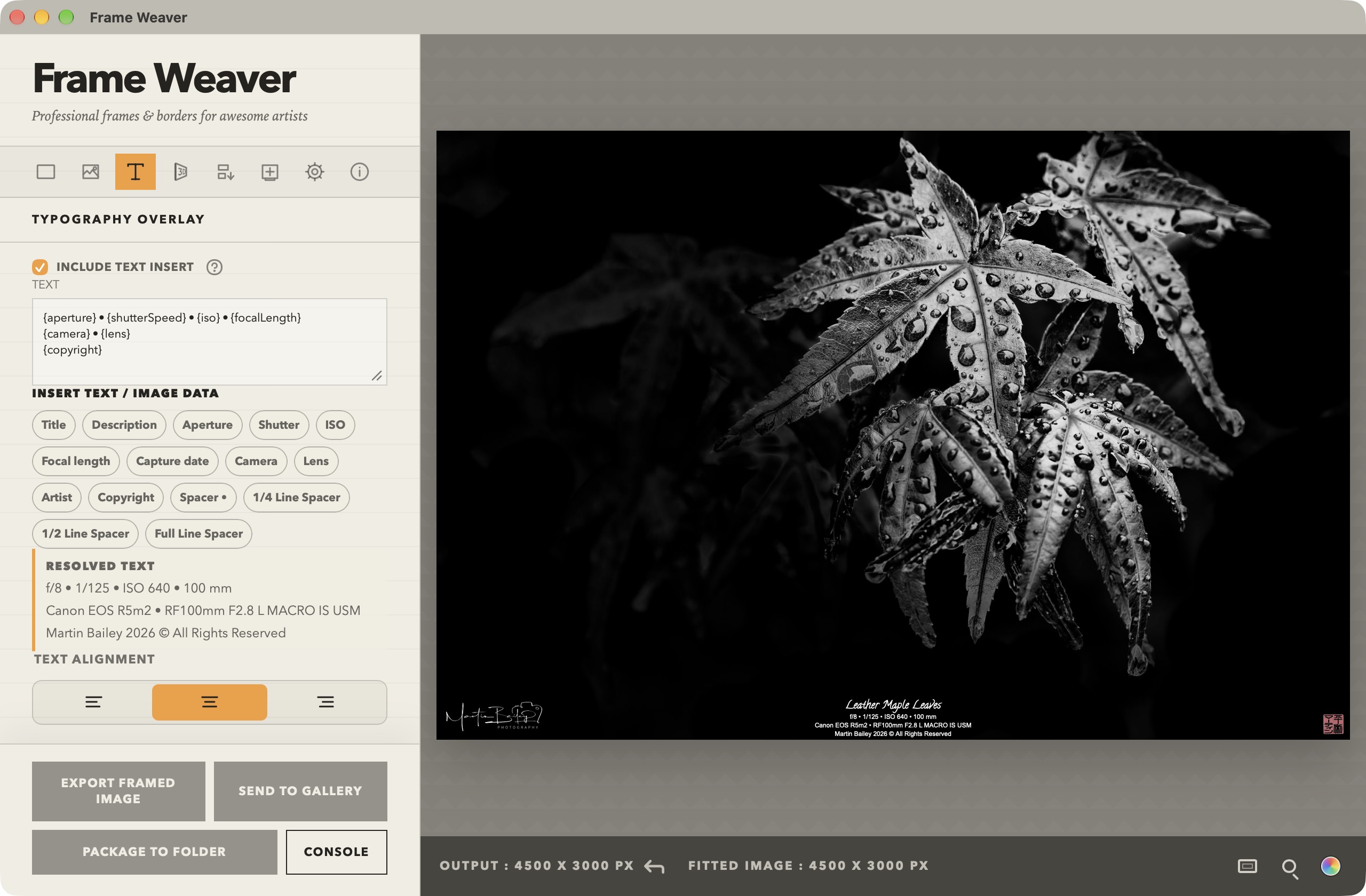
Text inserts fill in the title, exposure, camera, lens, and copyright from your image's own data, so one setup captions every image you frame.
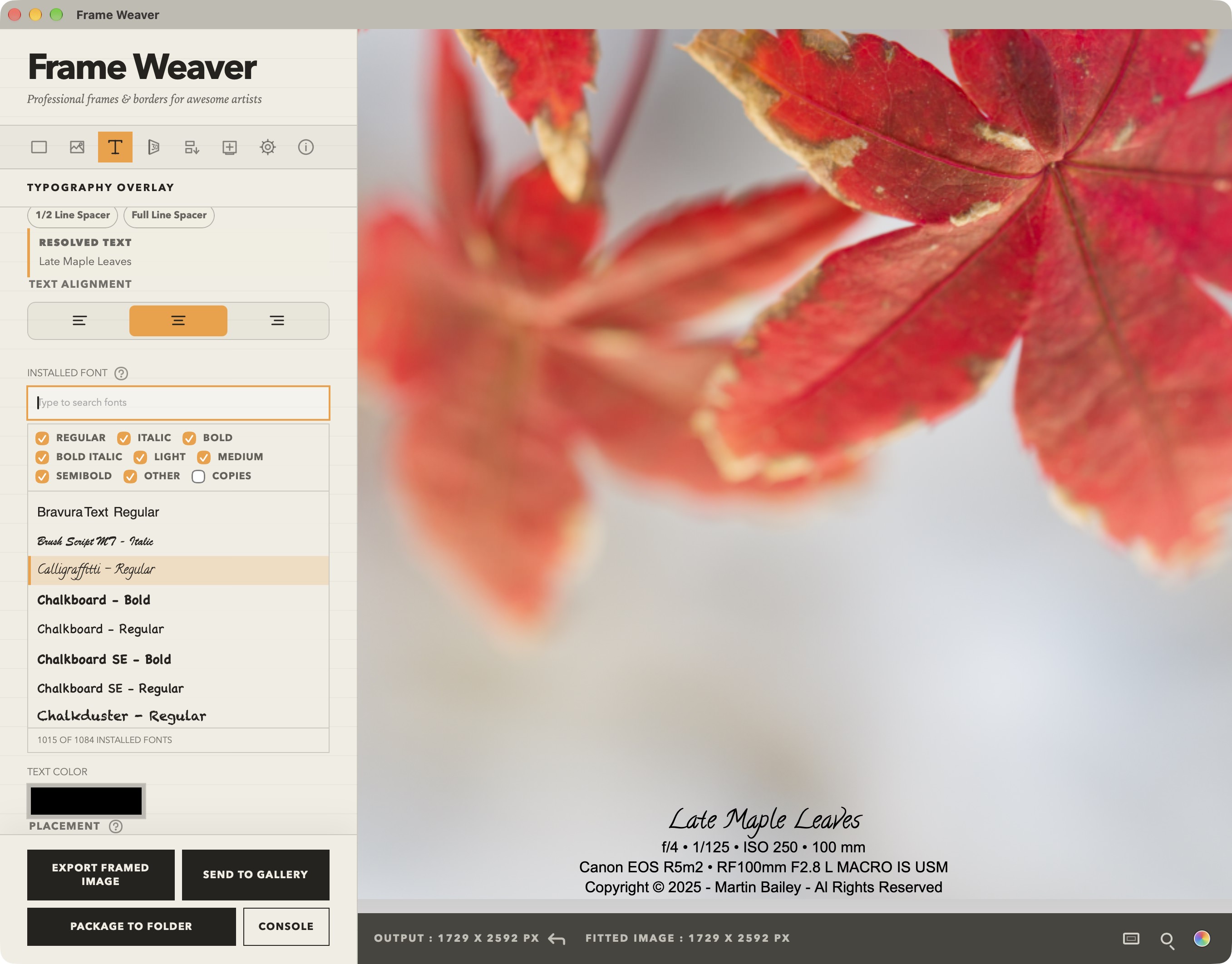
Finding the Right Font
The font picker is now a search. Start typing a name, and the list narrows as you go, with each font shown in its own face. Filters let you show only the styles you want, such as Regular, Italic, or Bold, so even a library of over a thousand fonts is quick to browse.
Where Your Work Really Comes to Life
Everything you frame in Frame Weaver can be sent straight to the Frame Weaver Pro Immersive Galleries, and that now includes gallery wraps. In a Gallery, your framed pieces and wraps hang on real walls, in a space your visitors can walk through, with the same frames, sheen, and shadows you see in the 3D preview.
The best way to understand it is to walk through one yourself. Step into my showroom Gallery and take a look around.
Get Frame Weaver 1.4.0
If you already use Frame Weaver, the update is free, and waiting for you in the app, or on the App Store and Google Play. If you haven't tried it yet, you can find out more on the Frame Weaver product page.
I hope you enjoy seeing your work in a whole new dimension.